
One click, one proxy
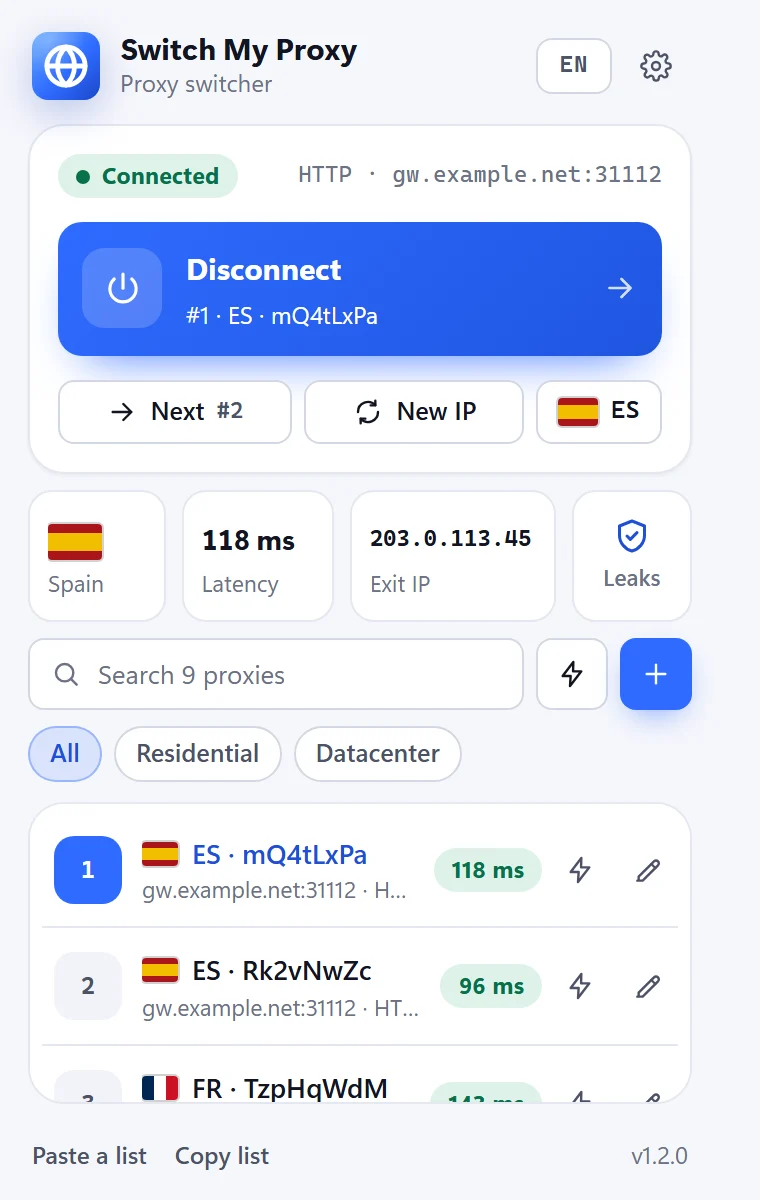
Connect, disconnect or jump to the next proxy from the toolbar, or with Alt+Shift+P and Alt+Shift+N.
Proxy switcher & manager for Chrome
Paste your proxy list, connect with one click and see your exit IP and country right away. Silent sign-in, rotating sessions and leak protection, for HTTP, HTTPS and SOCKS5 proxies.
Made for people who use residential, datacenter and rotating proxies every day.
Connect, disconnect or jump to the next proxy from the toolbar, or with Alt+Shift+P and Alt+Shift+N.
The username and password of your HTTP and HTTPS proxies are answered for you. No more login pop-ups.
See the IP and the country you exit from, with its flag, the moment you connect.
Get a new IP in one click, or another country for one proxy or many, without retyping passwords.
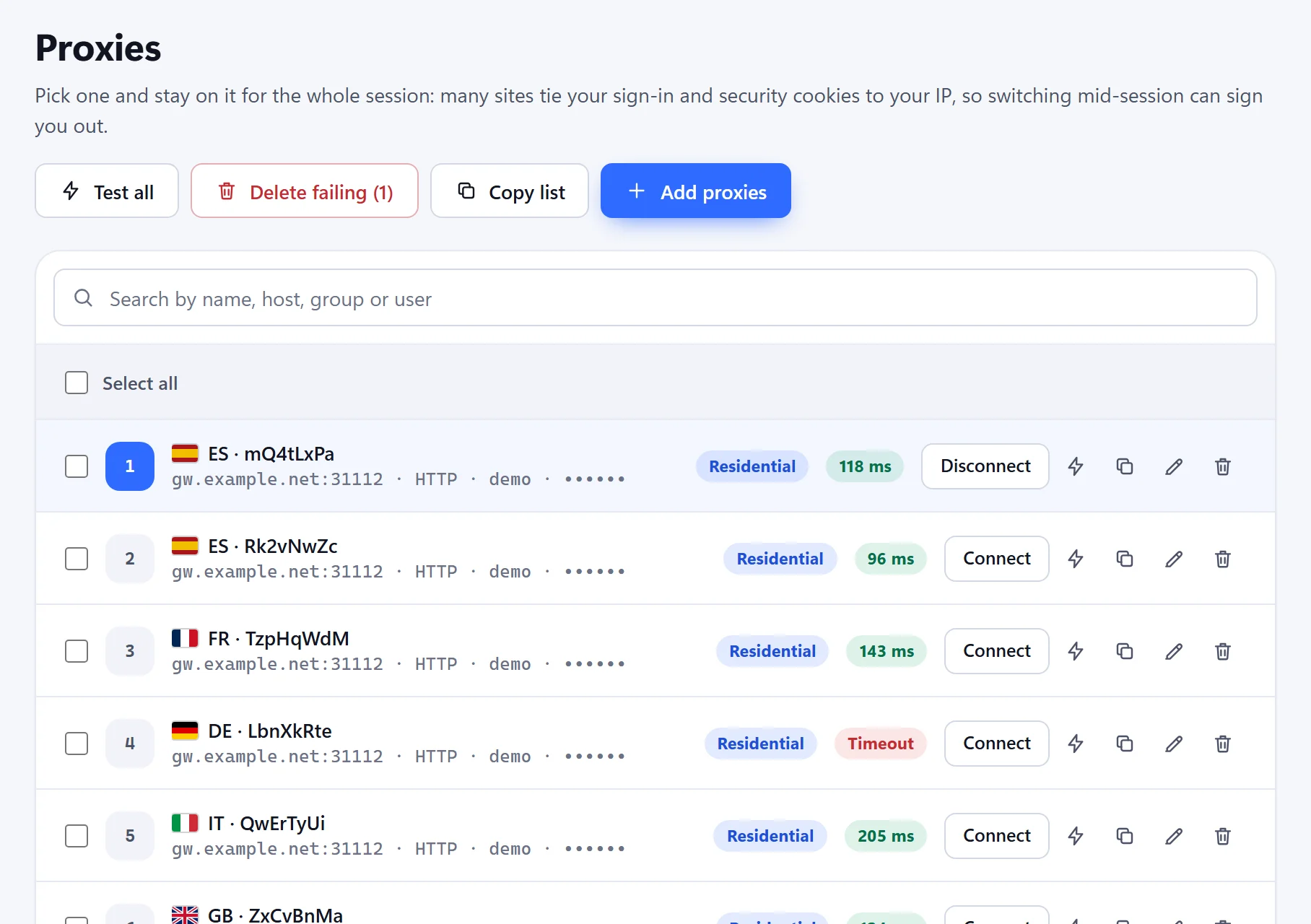
Latency and exit IP for every proxy. Delete the dead ones in one click, and Next skips them.
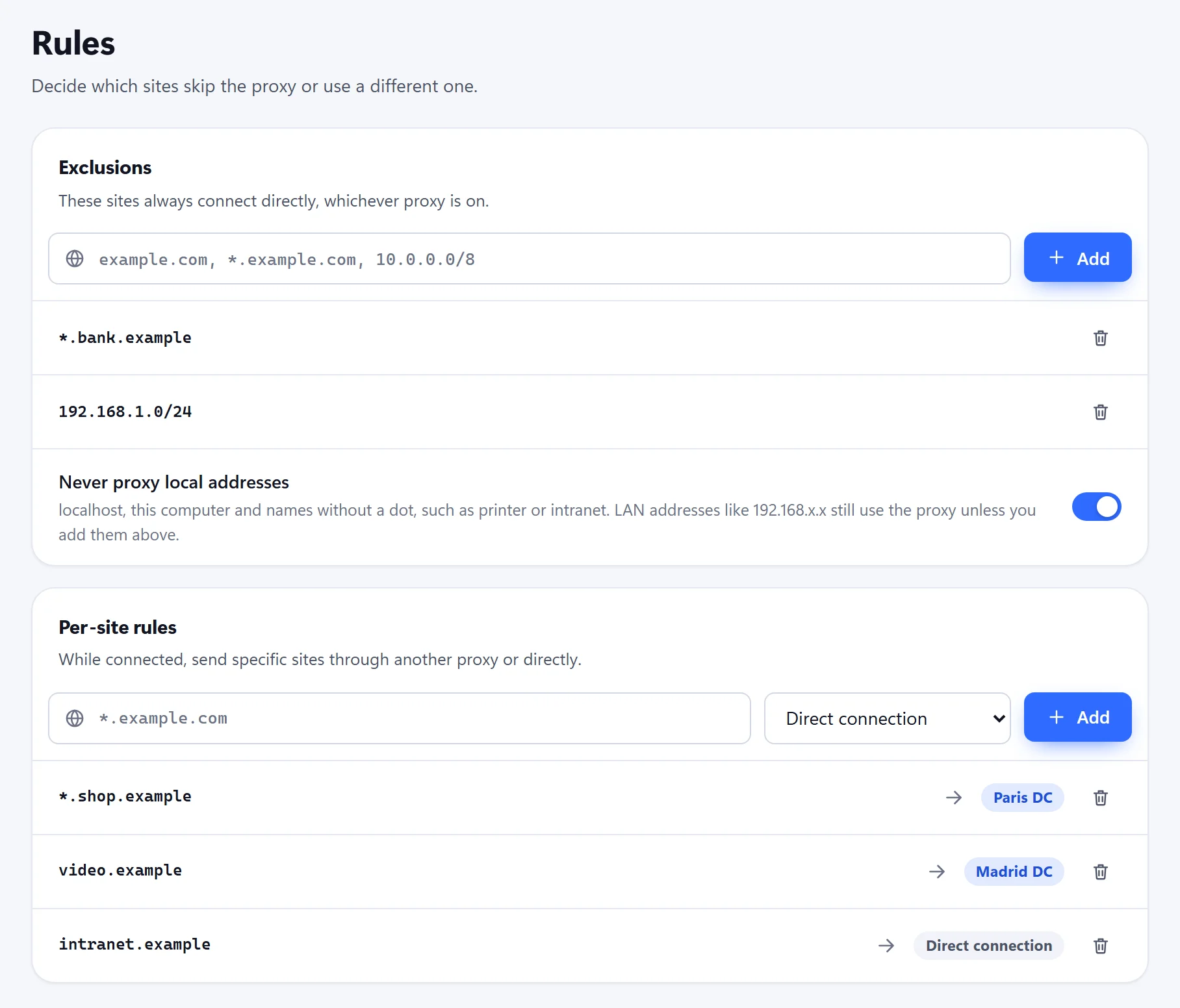
Send chosen sites through another proxy or straight out, with exclusions that take wildcards and IP ranges.
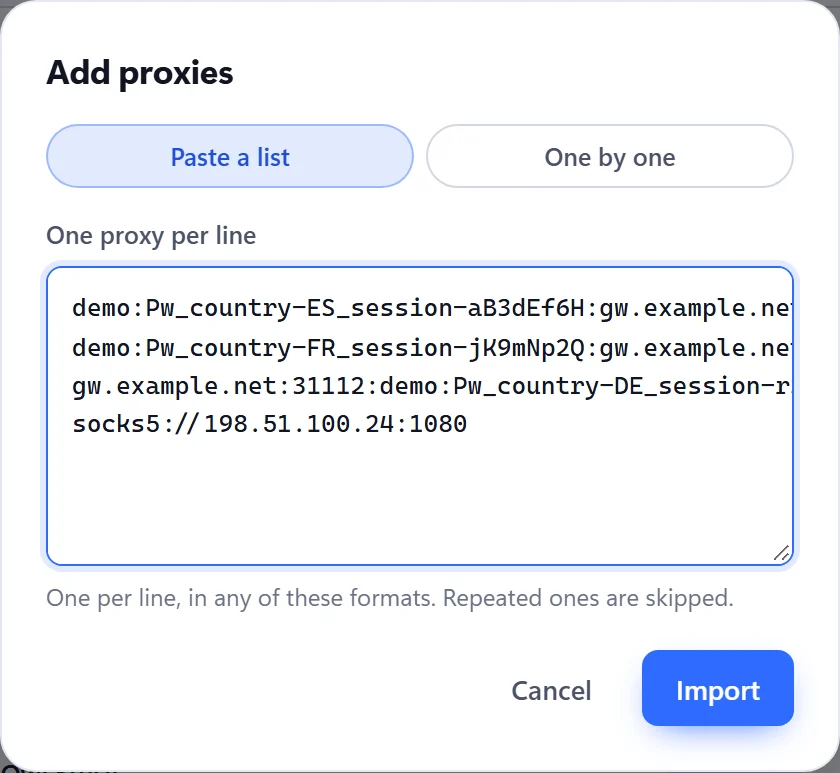
host:port, host:port:user:pass, user:pass@host:port, user:pass:host:port, socks5://… and IPv6.
Groups and names are kept, and repeated lines are skipped.
Every proxy keeps its number, flag, group and last test, so you always know which one comes next and which ones work.
Copy or download the list in the format other tools expect.
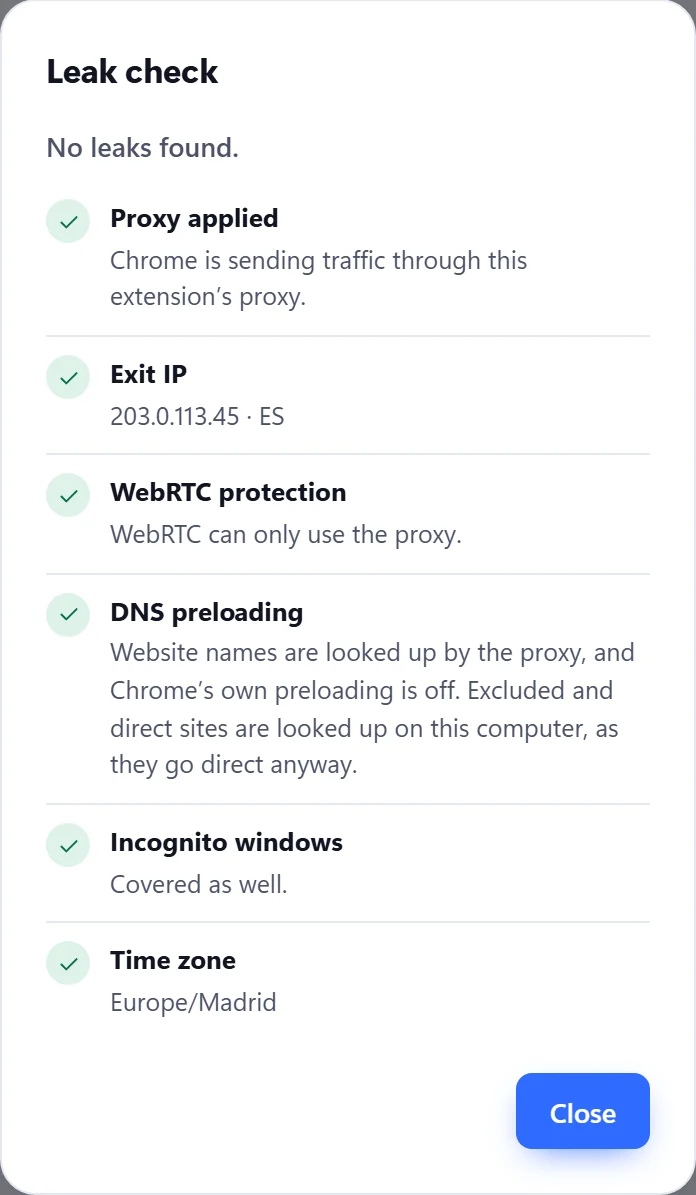
While you are connected, WebRTC can only use the proxy and Chrome stops preloading pages on its own. If the proxy drops, pages fail instead of loading over your real connection.
The built-in leak check shows what is covered, Incognito windows included.
Keep your bank direct, send a shop through another proxy and let everything else use the one you picked.
Wildcards and IP ranges work, and local addresses can stay off the proxy.
Your proxies are yours. The extension has no account, no analytics and no servers.
Proxies and passwords are stored only in this browser profile and are never synced.
No analytics, no ads and no remote code. Nothing is sold or shared.
The only requests it makes on its own go through your proxy: to ipinfo.io for the exit IP and country, and to api.ipify.org when you test.
No. Switch My Proxy manages the proxies you already have, from any provider: residential, datacenter, ISP or mobile.
HTTP, HTTPS, SOCKS4 and SOCKS5. Chrome doesn’t support usernames and passwords on SOCKS proxies, so for those use your provider’s IP allow-listing.
Yes. If your provider puts the session or the country in the username or password, you can get a new IP or change the country in one click.
No. It only sends your traffic through the proxy. Your user agent, headers and time zone stay as they are, and the popup warns you when your time zone doesn’t match the exit country.
Only if you allow it: open chrome://extensions, choose Details and turn on “Allow in Incognito”. The leak check tells you whether Incognito is covered.
Yes. Paste your proxies, add your per-site rules and you’re set. Switch My Proxy is built for Chrome’s current extension platform, Manifest V3.
Yes. It’s free and needs no account.
It installs in seconds. Your proxies, your rules.
Coming soon to the Chrome Web Store